ACCESS & CATALOGUE
Who sees what. And how you run the catalogue.
Six mechanisms in Colgo that a diagram explains in a minute, and words don't.
ACCESS LEVELS
Every role sees only what it needs.
From the admin password to a single waiter's PIN, every level has access proportional to its role — nobody sees more than they need.
STAFF APP · REQUEST MANAGEMENT
The request queue, in real time.
Every PIN only sees the rooms or tables it's responsible for. New, in progress, completed — the status is always clear.
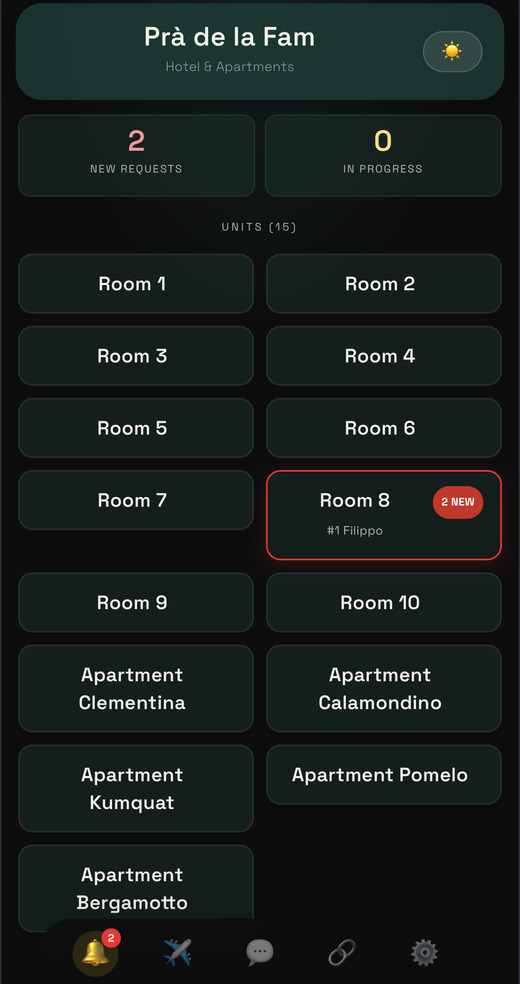
The board: rooms and how many requests each has
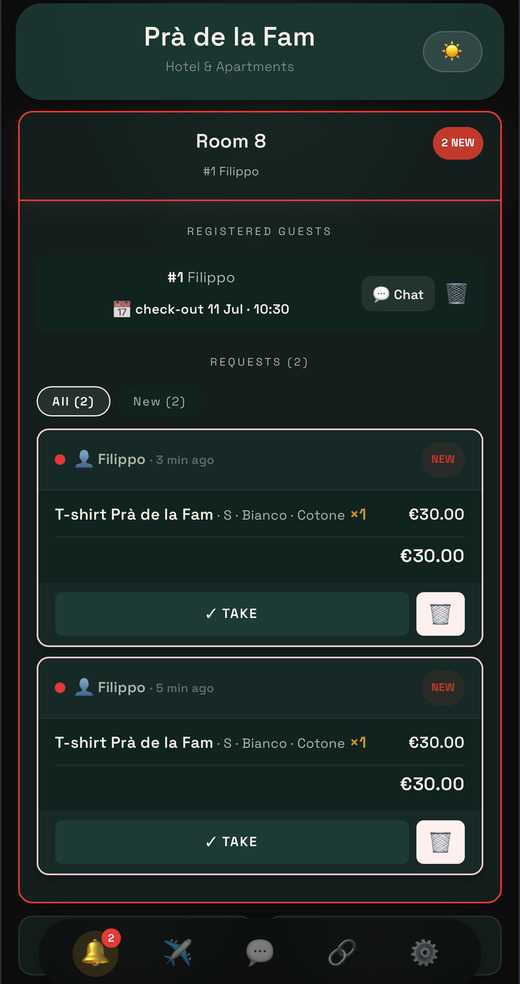
Inside a room: the request, item by item
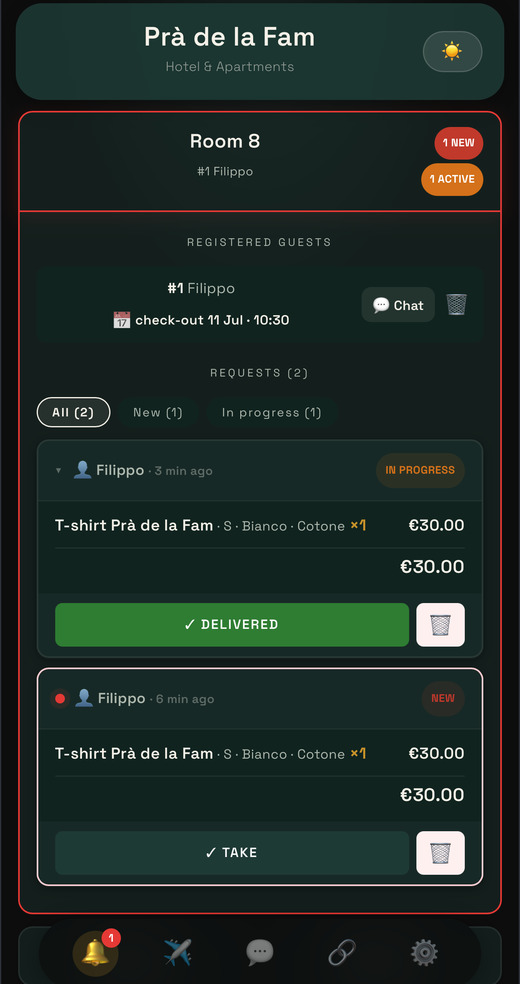
Taken in hand, and paid on delivery
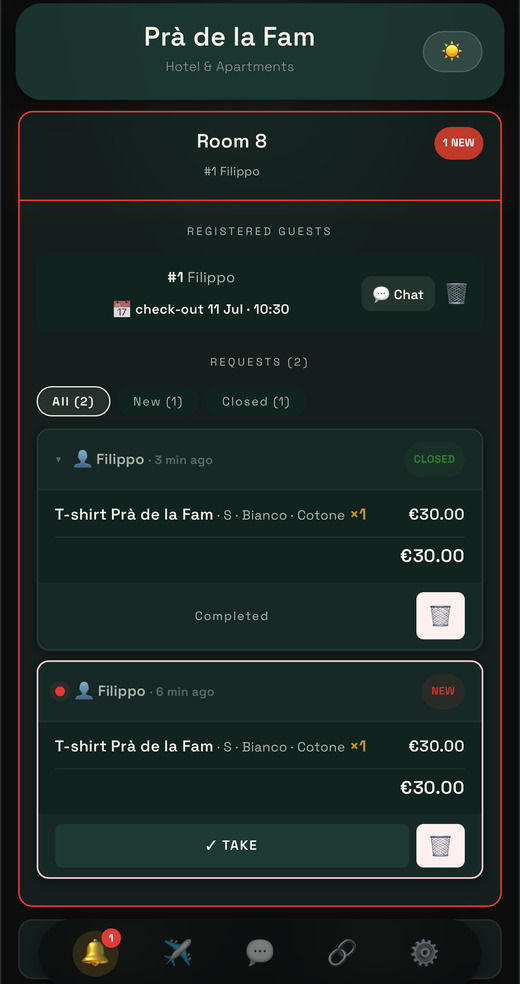
Closed: it stays in the room's history
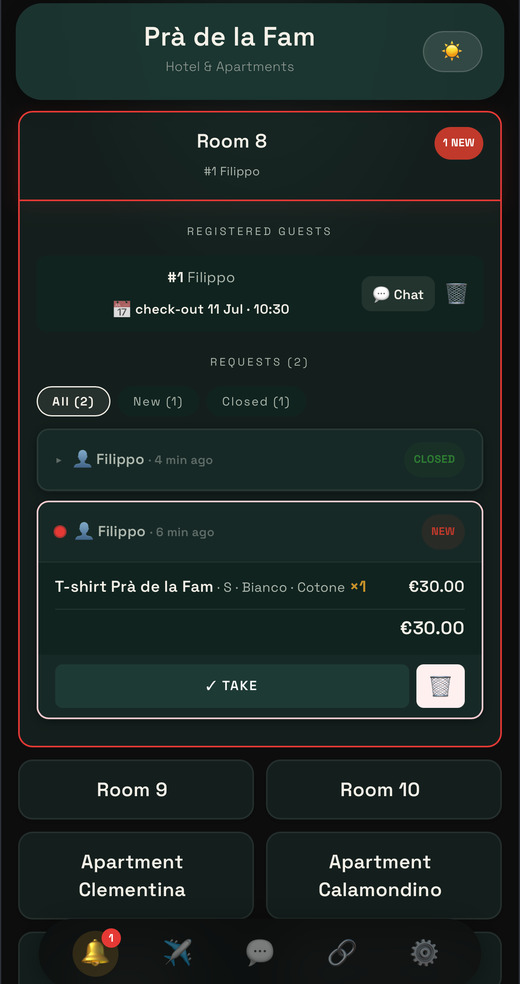
All rooms at a glance
← SWIPE →
MULTI-VENUE PIN
One PIN. Multiple venues covered.
If your staff works across multiple venues, you don't need a PIN for each — a single PIN can grant access to all the ones you choose.
CATALOGUE VISIBILITY
Deactivating isn't symmetrical.
Turning off a category hides everything inside it. Turning off a single item doesn't touch the rest — so you get fine control without surprises.
ADMIN PANEL · CATALOGUE EDITOR
The editor you always have at hand.
Categories, items, variants, prices, availability — all from phone or computer, with an exact preview of what the guest will see.
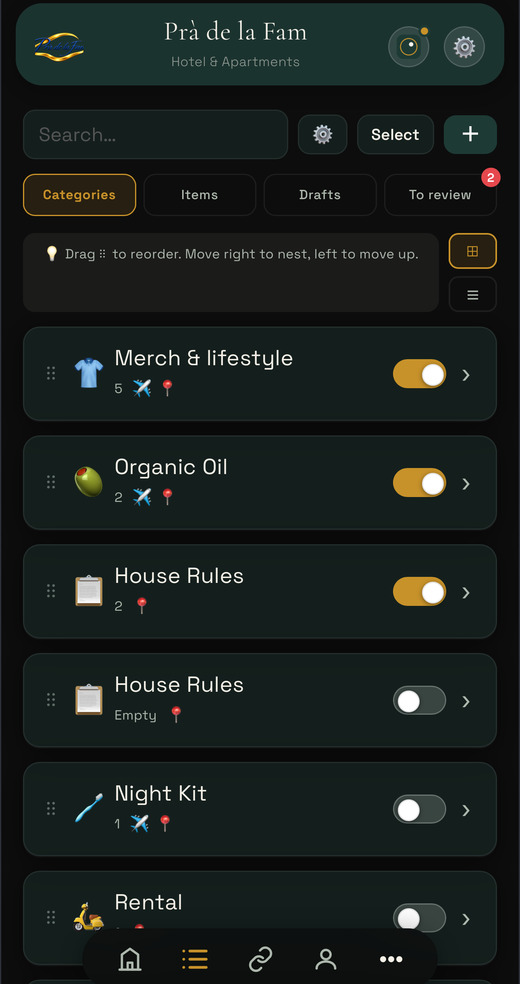
The catalogue categories, reorderable
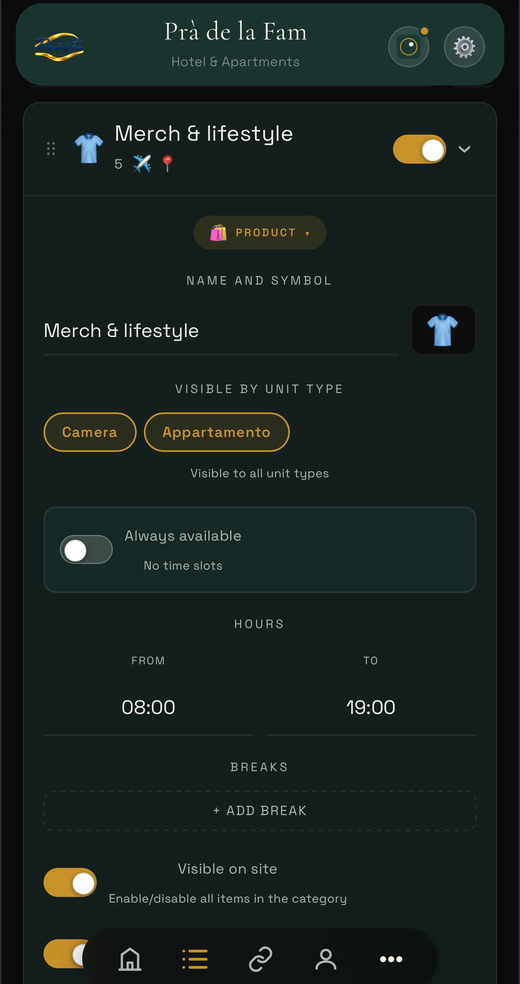
Inside a category: its items and prices
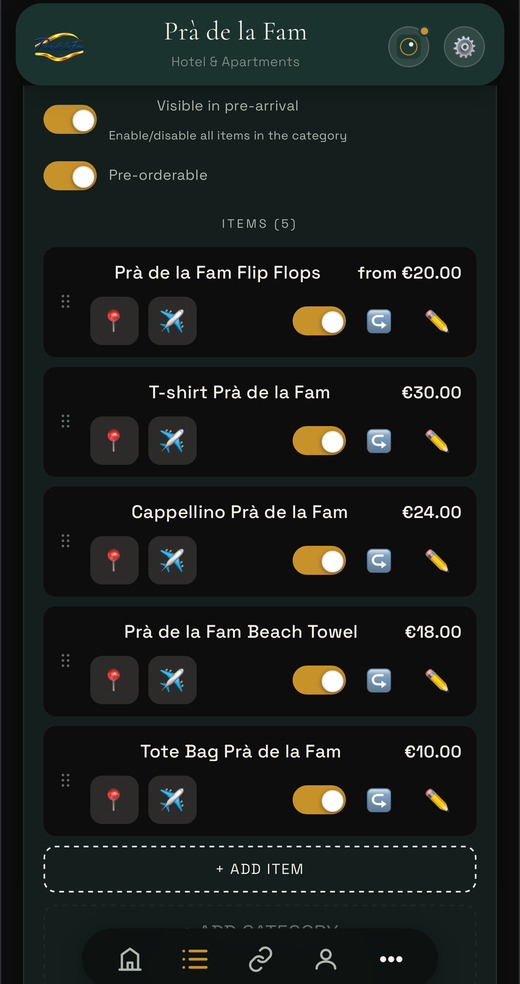
Every item in a single list
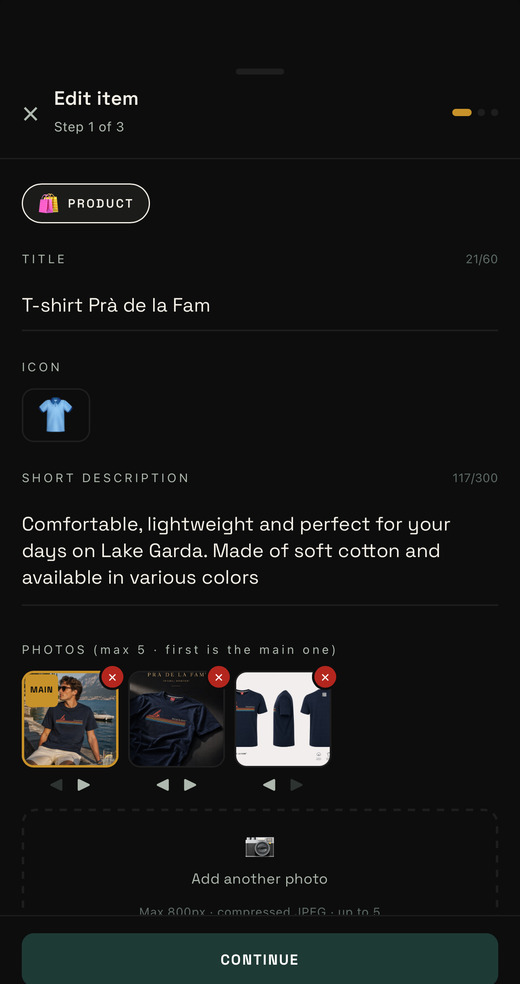
Title, icon, description, photos
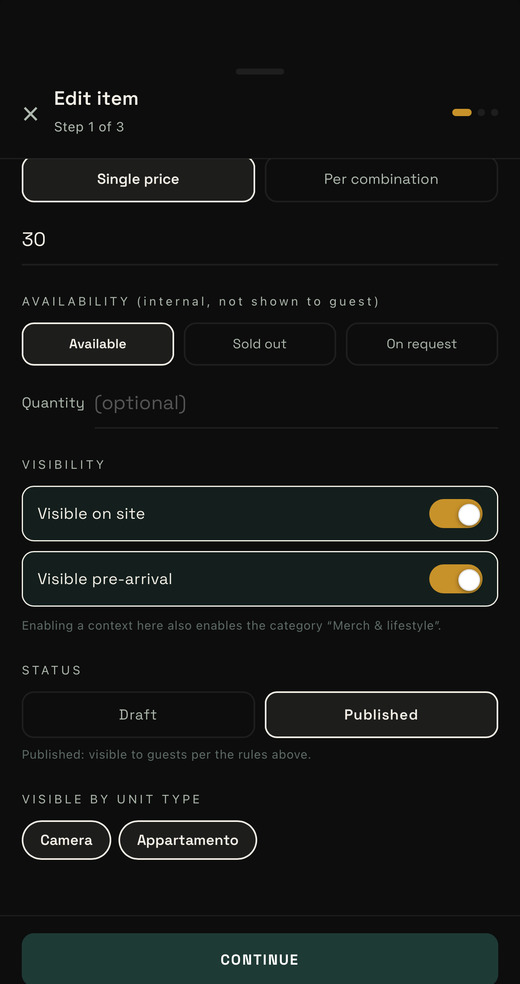
Price, availability, status, visibility
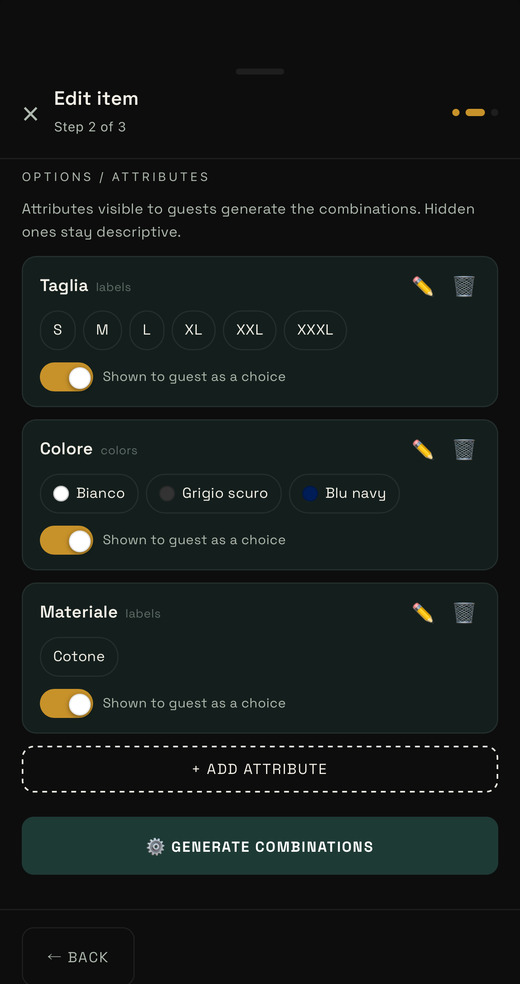
Sizes and colours: the attributes
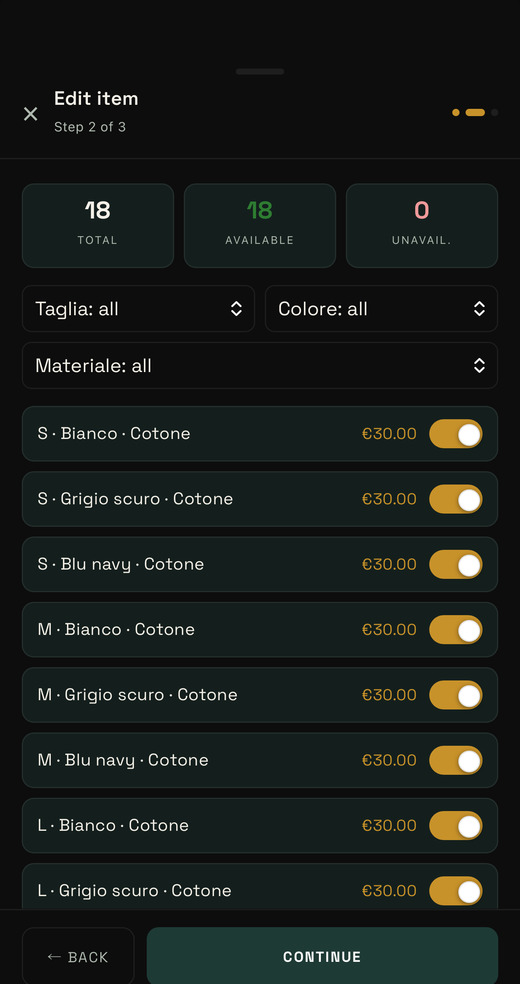
The combinations, generated for you
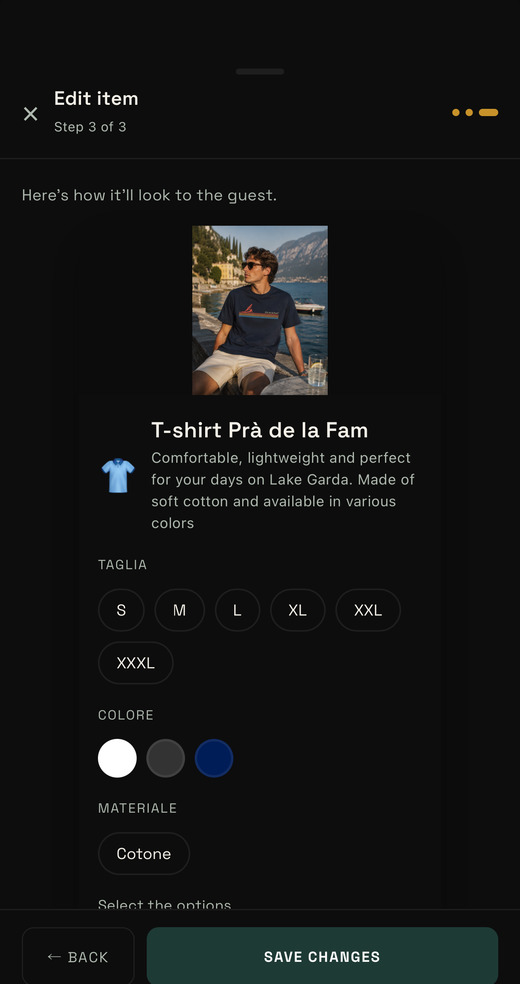
The exact preview of what the customer sees
← SWIPE →
MULTI-VENUE
Multiple venues. One single login.
Manage a hotel, restaurant and shop with the same email — switch between venues with a tap, no logout and login every time.
It answers from what's on this site. For anything else: colgoapp@gmail.com